Free
Build and run the essentials
- Up to 8 people and 2 breaks per person
- Core scheduling and visual results
- Go Live with NOW, NEXT, and THEN
- Live reminders and clock/calendar actions
- Text, image, and calendar sharing
 BreakCalc
Break planning that survives the shift
BreakCalc creates fair break schedules for complex teams. When the day changes, it records what happened, protects the past, and rebuilds the rest of the shift around your real constraints.
Start simple, expand when the shift demands it
Every feature is labelled honestly, so teams know what they can use before they build the plan.
Free
BreakCalc Pro
Full toolkitBefore the shift
Set the team, the Break Window, and the coverage rules. BreakCalc turns those constraints into a schedule people can read in Summary, Timeline, or List.
Placement, spacing, rounding, durations, and individual multipliers shape the result without hiding the operational rules underneath.
Go Live · Included in Free
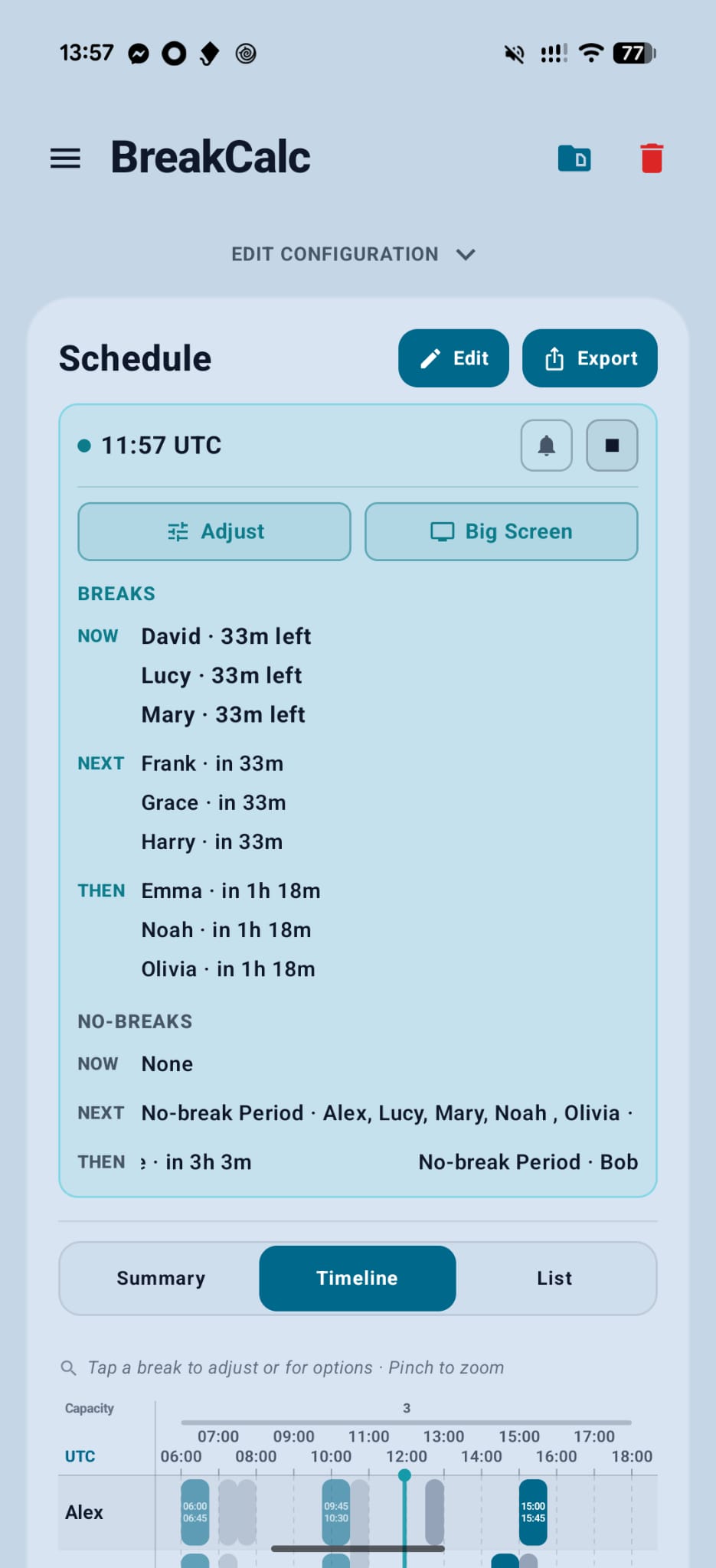
Go Live keeps the plan useful after the shift begins. It shows current and upcoming breaks, active and upcoming No-break Periods, and the time left—without turning the schedule into a separate system.
Optional reminders, Start/End alarms, and calendar actions keep the live plan moving beyond the board.
Live board
Visual Timeline
BreakCalc Pro · Live adjustments
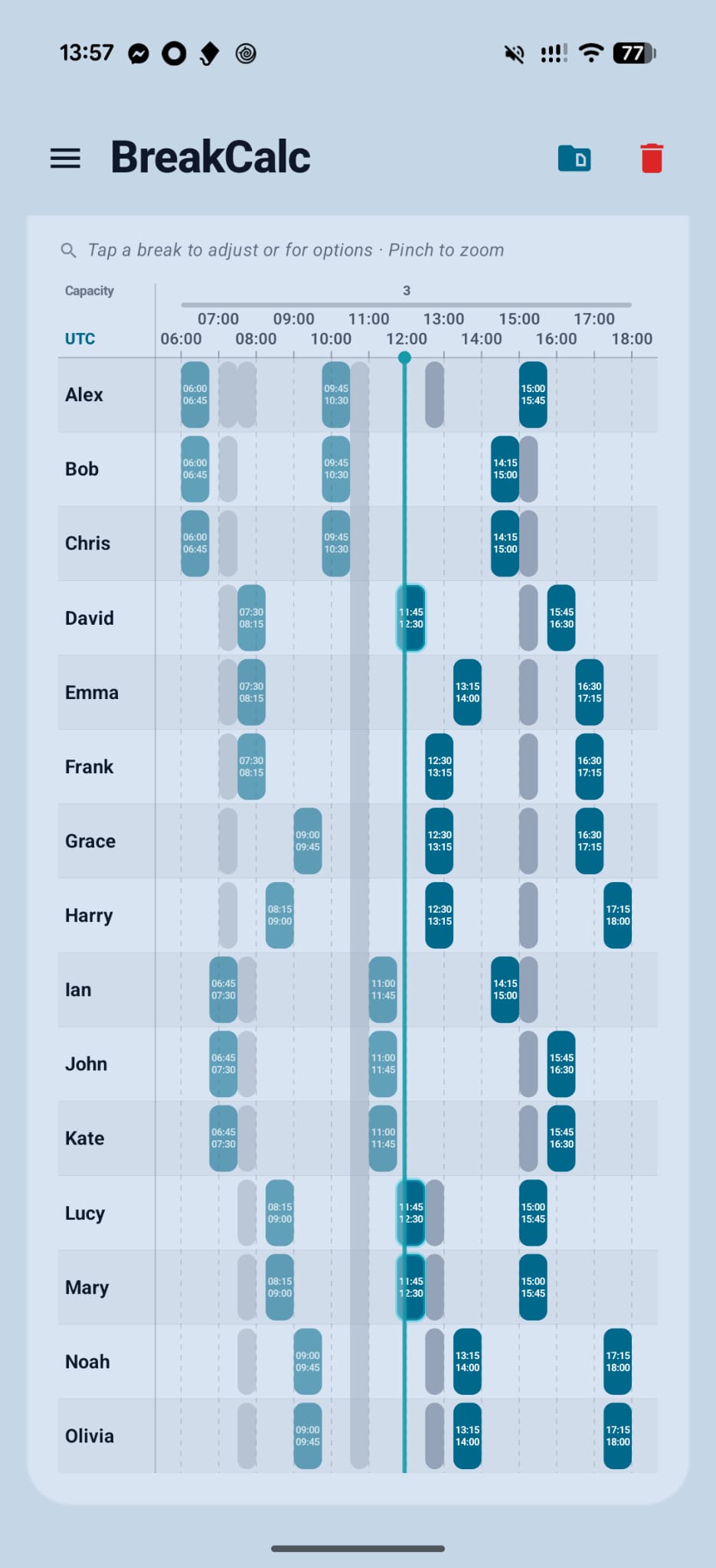
Shifts rarely follow the original timeline. BreakCalc can record late starts, early returns, missed breaks, and operational holds, then attempt to repair only what remains.
Real app example
The recording shows the Timeline before and after the live adjustment. Changed breaks are outlined, and Plan updated reports the result.
BreakCalc Pro · Big Screen
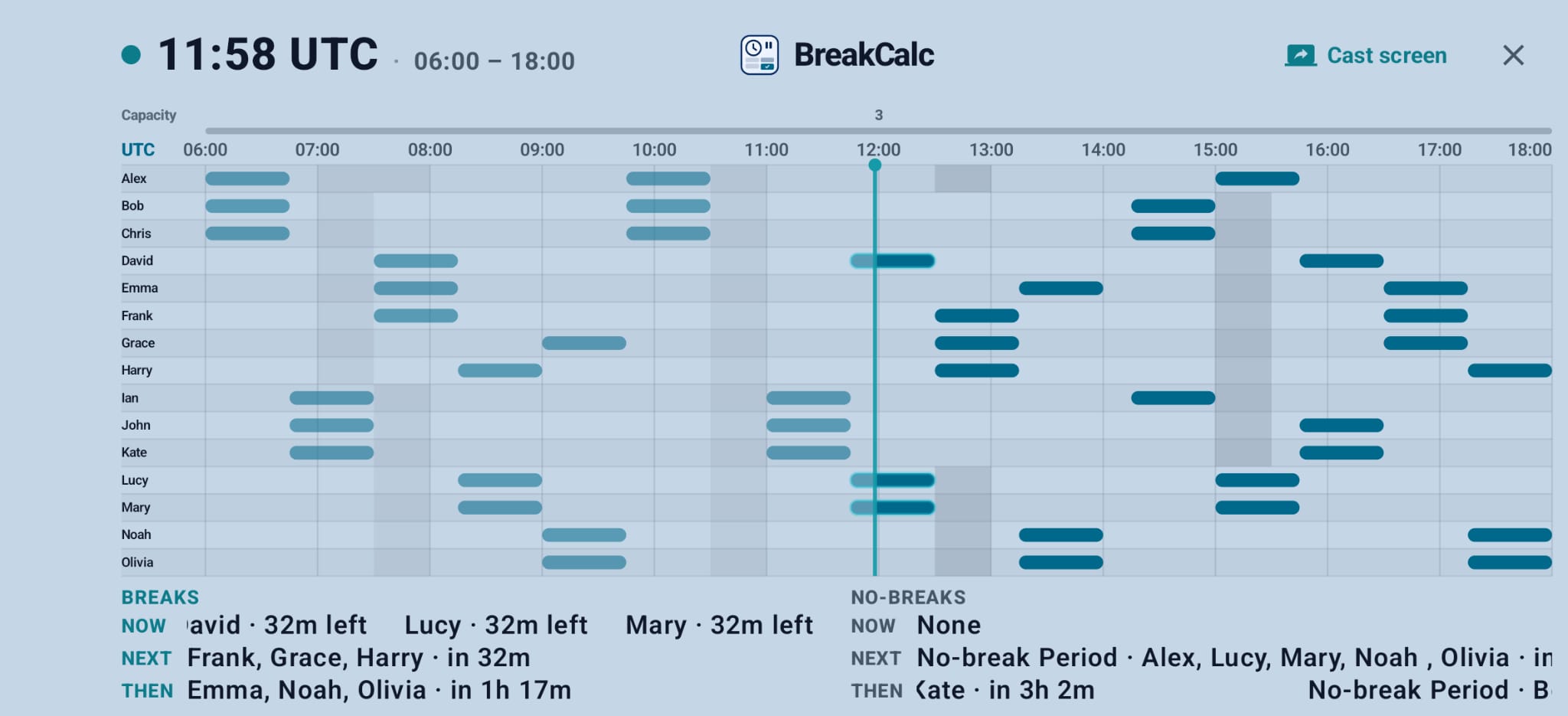
Big Screen expands the live Timeline into a landscape board for a local display. Use your Android device’s casting, mirroring, or cable connection when you choose; BreakCalc does not upload the schedule to provide this view.
Local-first by design
Break schedules for the shift you planned—and the one you got